Cannot Return to Event in Fullscreen Mode (Missing "Lunch Event" Button)
I found a UI issue related to fullscreen mode in the settings.
To illustrate this, I attached three screenshots:
Image 1 (Normal window mode):
Settings are not in fullscreen
The pink back arrow and “Launch Event” button are visible
Everything works as expected
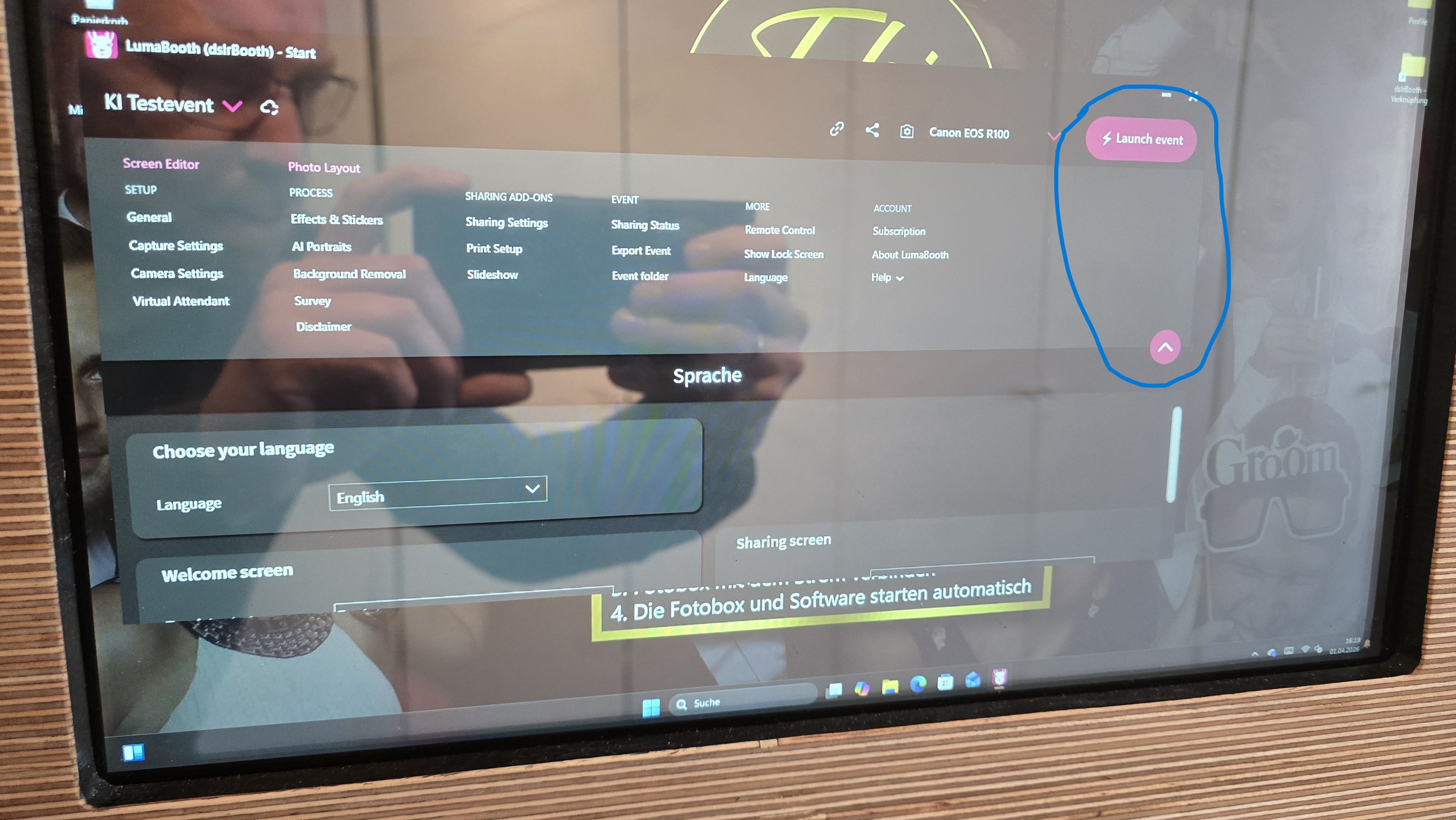
Image 2 (Fullscreen mode):
Settings window is maximized
The back arrow and “Launch Event” button are no longer visible
There is no way to return to the event from the UI
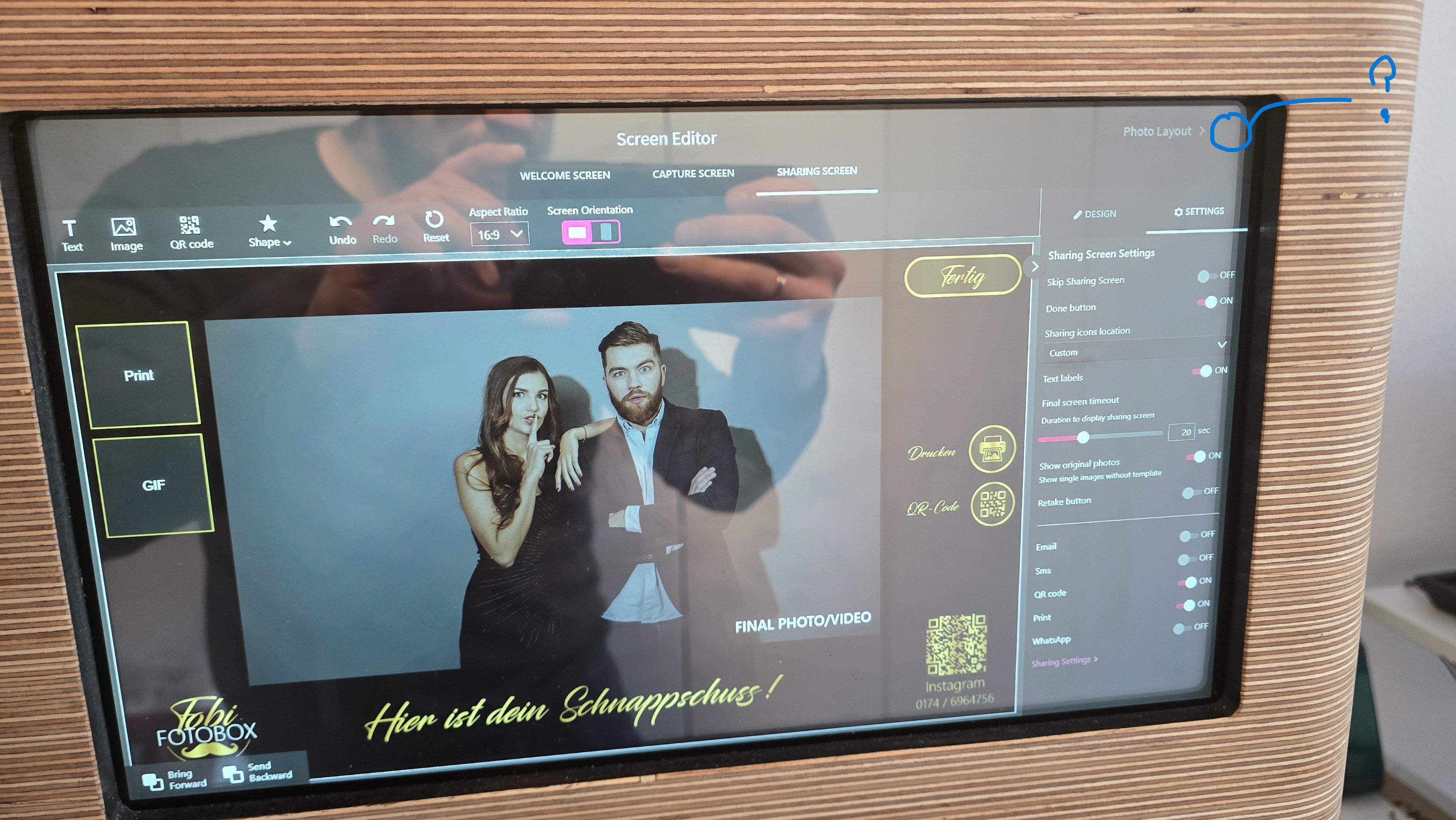
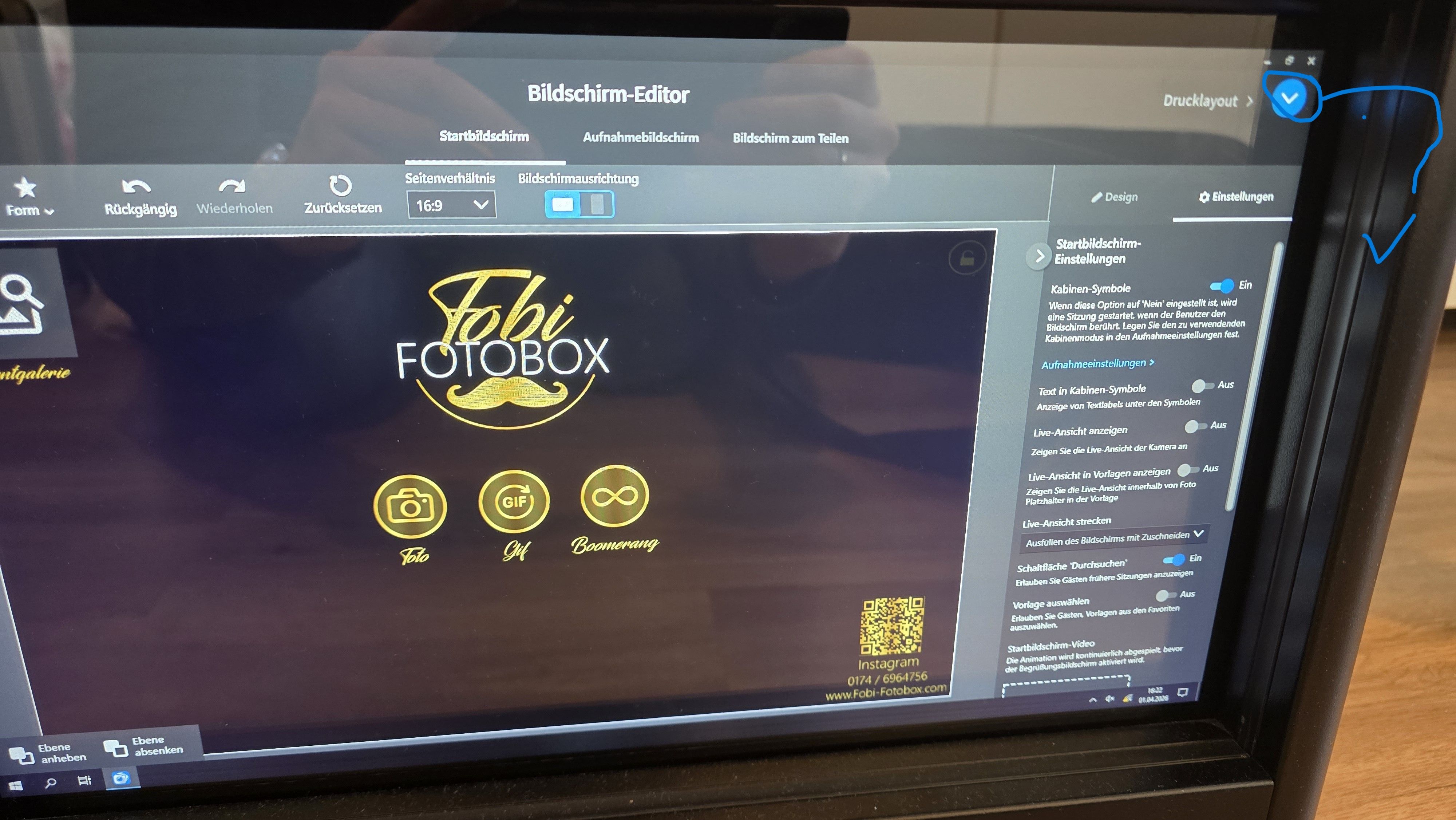
Image 3 (Comparison – DSLR Booth v7):
In fullscreen mode, there is a small navigation button (blue arrow)
This button allows returning to the main menu or back to the event at any time
Log in to comment and vote
Comments5
Luma Mike
Apr 1
Will be included v8.1.10 due out shortly
187087056
Apr 1
Nice!
EdgarsFoto Foto Kaste
Apr 1
I've had this happen to me twice already. And since one computer only has a touchscreen, the only way to get out of it was to turn off the computer with the button.